Layouts can be used in a playlist, either as a rotation or scheduled. After a Playlist is created, it can be Scheduled to Players. When a Playlist is Scheduled to a Player it overrides any previously scheduled content, such as Layouts or Applications.
1) From the Home page, click on ‘Playlists‘.
2) Click on the ‘Create New‘ button to create a new playlist, or open an existing playlist.
3) From the Playlist, click on the ‘Layouts‘ tab and drag and drop the layouts needed to the playlist timeline at the bottom of the page:

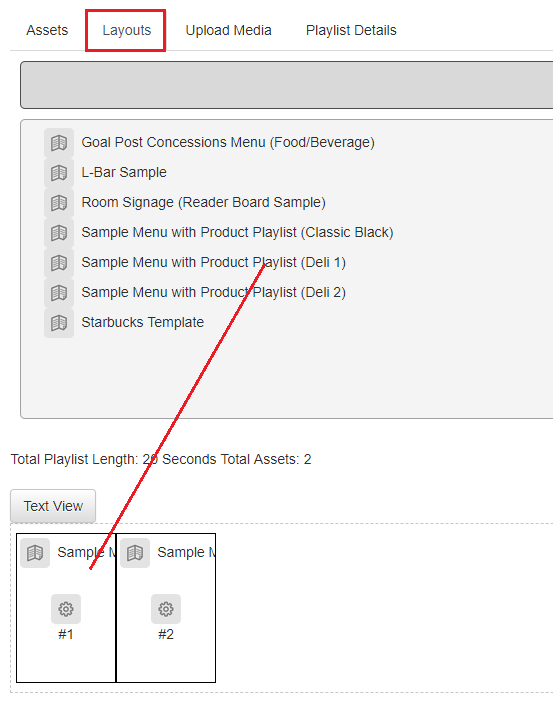
4) Use the properties icon on each layout to set up any needed schedules. Otherwise, you layouts will rotate one after the other in a continuous loop. The playlist will save automatically.